Choosing the right browser automation platform for your needs
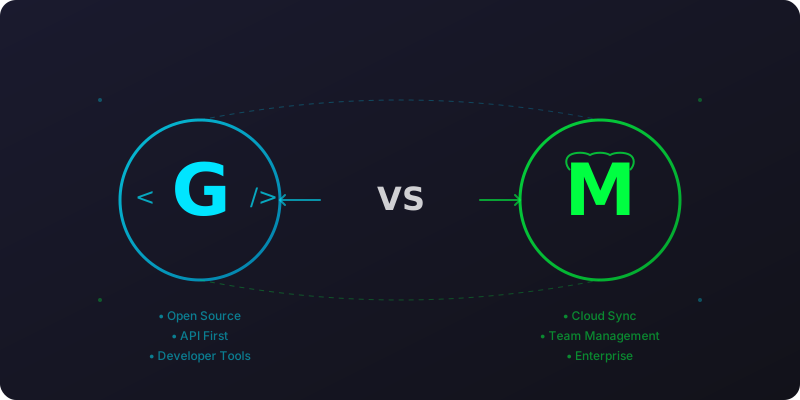
When it comes to browser automation and profile management, both MultiLogin and GoLogin offer powerful solutions but serve different needs and use cases. This comprehensive guide will help you choose the right platform for your specific requirements.
Quick Overview
Platform
Primary Use
Target Audience
Pricing Model
GoLogin
Developer-focused browser automation SDK
Developers, QA engineers, hobbyists
Free & Open Source
MultiLogin
Enterprise browser profile management
Businesses, agencies, enterprises
Freemium ($99+/month)
Feature Comparison
Feature
GoLoginFree & Open Source
MultiLoginPremium Platform
Browser Profile ManagementImportant
Unlimited local profiles
5 free profiles, 50+ paid
Fingerprint GenerationImportant
Advanced local generation
Template-based system
Proxy SupportImportant
All proxy types
HTTP/SOCKS with rotation
Cookie/Session Management
Local file storage
Cloud synchronization
Legend
ImportantKey differentiator feature
✓ YesFeature available
✗ NoFeature not available
GoLogin Best For:
• Developers and technical teams
• Projects requiring customization
• Budget-conscious automation
• Open-source integration needs
MultiLogin Best For:
• Enterprise teams and agencies
• Non-technical users
• Large-scale profile management
• Collaboration and compliance needs
Detailed Comparison
Core Architecture
GoLogin
Built as an open-source SDK for developers
Local profile management via filesystem
Client-side fingerprint generation
RESTful API for integration
Works with Puppeteer, Playwright, Selenium
MultiLogin
Cloud-based platform-as-a-service
Centralized profile synchronization
Server-side fingerprint templates
Web dashboard + API access
Proprietary browser engine
Profile Management
Feature
GoLogin
MultiLogin
Storage
Local files
Cloud sync
Free Profiles
Unlimited
5 profiles
Team Collaboration
Manual file sharing
Built-in team features
Backup
Manual
Automatic
Export/Import
JSON format
Proprietary format
Pricing Analysis
GoLogin - Free Forever
✓ Unlimited browser profiles
✓ Complete SDK access
✓ Community support
✓ Full customization
✓ No vendor lock-in
MultiLogin - Premium Features
✓ 5 free profiles
✓ Cloud synchronization
✓ 30 API requests/minute
✓ Team management
✓ Enterprise support (paid)
Use Case Recommendations
Choose GoLogin if:
✅ Perfect for:
Developers building custom automation solutions
QA engineers testing web applications
Startups with limited budgets
Users requiring maximum flexibility
Projects needing deep integration with existing tools
Open-source enthusiasts
❌ Not ideal for:
Non-technical users
Large teams requiring collaboration
Businesses needing enterprise support
Users preferring cloud-only solutions
Choose MultiLogin if:
✅ Perfect for:
Businesses managing multiple client accounts
Marketing agencies running social media campaigns
E-commerce sellers with multiple storefronts
Teams requiring collaboration features
Users preferring managed solutions
Enterprises needing compliance features
❌ Not ideal for:
Developers on tight budgets
Projects requiring custom integrations
Users wanting full control over their data
Open-source advocates
Technical Requirements
GoLogin Prerequisites
Node.js 16+
Basic programming knowledge
Command-line comfort
Development environment setup
MultiLogin Prerequisites
Web browser only
No technical skills required
Internet connection
Account registration
Integration Examples
Using Both Platforms Together
Many users find value in using both platforms for different scenarios:
// Example: Start with GoLogin, scale to MultiLogin
import { GoLogin } from'@gologin/sdk';
const gologin = newGoLogin({
profileId: 'profile-uuid'
});
// For small projects, use GoLogin locally
// For enterprise scaling, migrate to MultiLogin
Migration Path
Prototype Phase: Use GoLogin for development and testing
Growth Phase: Evaluate MultiLogin for team collaboration
Enterprise Phase: Migrate to MultiLogin for advanced features
Decision Framework
Ask yourself these questions:
Technical Skills:
Are you comfortable with code and APIs? → GoLogin
Do you prefer no-code solutions? → MultiLogin
Team Size:
Solo developer or small team? → GoLogin
Large organization with multiple users? → MultiLogin
Budget Constraints:
Limited or no budget? → GoLogin
Room in budget for premium features? → MultiLogin
Scalability Needs:
Few profiles, high customization? → GoLogin
Many profiles, easy collaboration? → MultiLogin
Conclusion
Both platforms serve legitimate needs in the browser automation ecosystem:
GoLogin excels as a flexible, developer-friendly SDK
MultiLogin shines as an enterprise-grade managed platform
The choice depends on your technical skills, team requirements, budget, and long-term scalability needs. Many successful automation strategies incorporate both platforms at different stages of growth.